
How to Modernize Legacy Software With AI Without Rebuilding Everything
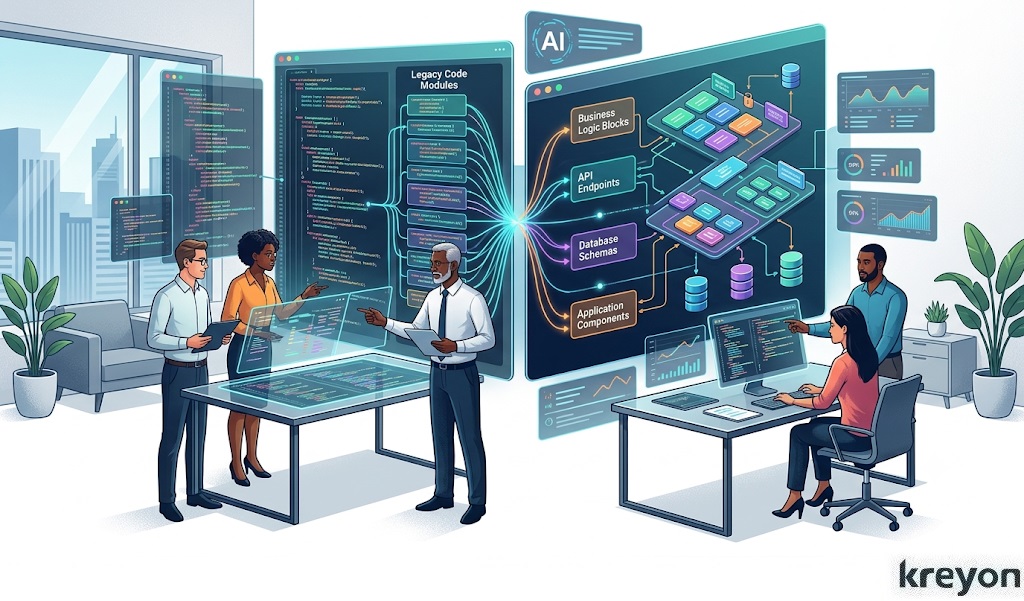
Your most important software system may also be the one your developers are afraid to touch.
It might be a 15-year-old ERP. A Java application built by a team that no longer exists. A sprawling database held together by undocumented scripts. Or a business-critical system that still works, but only because three people inside the company know exactly which buttons not to press.
That is the legacy software dilemma.
The obvious answer seems to be: rebuild it.
But for many organizations, a complete rewrite is the software equivalent of demolishing a house while the family is still living in it.
There is another option.
Organizations can modernize legacy software with AI incrementally, preserving valuable business logic while improving the architecture, user experience, integrations, automation and intelligence around it.
This approach matters because legacy modernization is no longer simply an IT housekeeping exercise. It can become a foundation for AI adoption, faster product development and better customer experiences.
Microsoft, for example, describes application modernization as a phased process that can include rehosting, refactoring, rearchitecting, rebuilding, replacing or retiring applications rather than assuming every system needs a ground-up rewrite.
The question, then, isn’t:
“How do we replace our legacy system?”
It is:
“Which parts should we change, which should we preserve, and where can AI create the most value?”
Why Modernize Legacy Software With AI Instead of Rebuilding Everything?
Legacy applications aren’t necessarily bad applications.
Many have survived for years precisely because they encode processes, rules and institutional knowledge that are critical to the business.
The problem is that their surrounding technology often hasn’t kept pace.
Common symptoms include:
- Slow release cycles
- Difficult-to-maintain code
- Outdated frameworks and dependencies
- Fragile integrations
- Limited APIs
- Poor user experiences
- Increasing security and compliance concerns
- High maintenance costs
- Data trapped in disconnected systems
- Dependence on a small number of experienced employees
Google Cloud similarly describes legacy modernization as more than replacing old technology: the goal is to make foundational systems more agile, scalable, secure and cost-effective while aligning them with current business objectives.
AI adds an interesting new dimension.
Modern AI tools can help teams understand large codebases, identify dependencies, generate documentation, assist with code transformation and create new interfaces on top of existing data and workflows.
Microsoft is now explicitly incorporating AI-powered tools into application modernization, including AI-assisted code assessment and modernization for Java and .NET applications. Microsoft Azure
That doesn’t mean AI should rewrite your entire application overnight.
Quite the opposite.
AI is most useful when it helps you modernize selectively, intelligently and with humans in control.
1. Start With the Business Problem, Not the Technology
One of the most common modernization mistakes is starting with a technology shopping list.
“We need microservices.”
“We need Kubernetes.”
“We need to move everything to the cloud.”
“We need generative AI.”
Those may eventually be useful. But they aren’t a modernization strategy.
Start with the business.
Ask:
- Which processes are slowing employees down?
- Where are customers experiencing friction?
- Which systems are expensive to maintain?
- Where is data trapped?
- Which manual processes could be automated?
- Which capabilities are preventing the business from launching new products?
- Which applications create the greatest operational or security risk?
Microsoft’s modernization guidance recommends beginning with application assessment, defining business goals, prioritizing applications and then executing modernization in phases.
A useful principle is:
Modernize for an outcome, not for a technology label.
If the business objective is to reduce customer-service response time, for example, you may not need to rebuild the CRM.
You may need to expose its data through APIs, connect it to a knowledge base and introduce an AI assistant.
That is a very different and potentially much smaller, project.
2. Understand What You Already Have
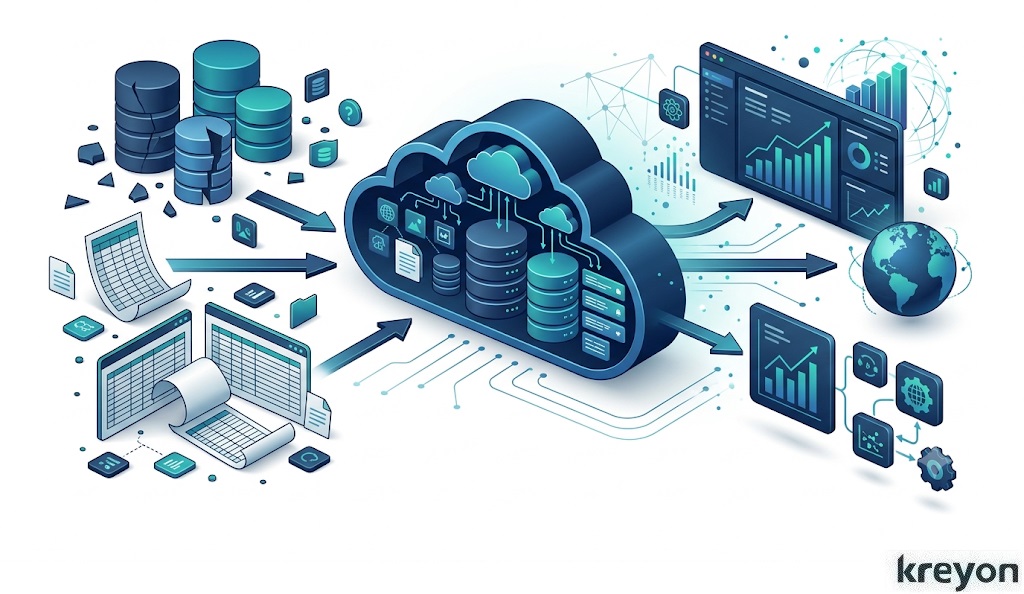
Before changing legacy software, understand it.
This sounds obvious. In practice, it can be surprisingly difficult.
Over time, enterprise applications accumulate layers of business rules, integrations, workarounds and undocumented dependencies.
AI can help teams accelerate this discovery process.
Modern code-analysis tools can examine large repositories and help identify:
- Application dependencies
- Duplicate logic
- Outdated libraries
- Business rules
- Integration points
- Data flows
- Potential security weaknesses
- Areas suitable for refactoring
The important word is help.
AI-generated documentation or code analysis should be reviewed by engineers and business owners who understand the system.
The goal isn’t to replace institutional knowledge. It is to make that knowledge easier to capture, validate and share.
This is particularly valuable when only a handful of employees understand how a mission-critical application actually works.
3. Don’t Rewrite the Core,Wrap It
One of the most practical ways to modernize legacy software with AI is to create a modern layer around the existing application.
Think of it as building a new nervous system around an old engine. Instead of replacing the core system immediately, introduce:
Legacy application → API layer → modern applications / automation / AI
An API layer can allow newer applications to interact with older systems without forcing the underlying system to change all at once.
Microsoft identifies API-first design, legacy wrapping, containerization, data modernization and event-driven architecture among common modernization patterns.
This creates an important strategic advantage:
You can modernize the experience without immediately replacing the system of record.
For example, a manufacturing company could keep its existing ERP while introducing a modern AI-powered operations dashboard.
The ERP continues managing transactions.
The new layer makes its information easier to access, analyze and act upon.
4. Put AI Where It Actually Helps
AI shouldn’t be added to a legacy application simply because the word “AI” looks good on a roadmap.
The better question is:
Where does intelligence remove friction or create measurable business value?
Potential use cases include:
AI-powered search
Employees can ask questions in natural language instead of navigating complicated menus.
“Which purchase orders are overdue?”
“Show me customers whose orders have been delayed more than seven days.”
Intelligent document processing
AI can extract information from invoices, contracts, applications, forms and other documents before passing validated information into existing workflows.
Customer-service assistants
An AI assistant can retrieve information from legacy databases and knowledge repositories, giving customer-service teams faster access to relevant information.
Predictive analytics
Historical operational data can be used to identify patterns such as demand changes, maintenance requirements, customer churn or potential fraud.
Workflow automation
AI can classify requests, summarize cases, recommend next actions and route work to the appropriate employee or system.
Application-modernization guidance specifically describes AI as a way to improve productivity, automate tasks, enhance user experiences and extract more value from modernized applications.
The key is to start with high-value, bounded use cases.
5. Modernize the Data Before Expecting AI Miracles
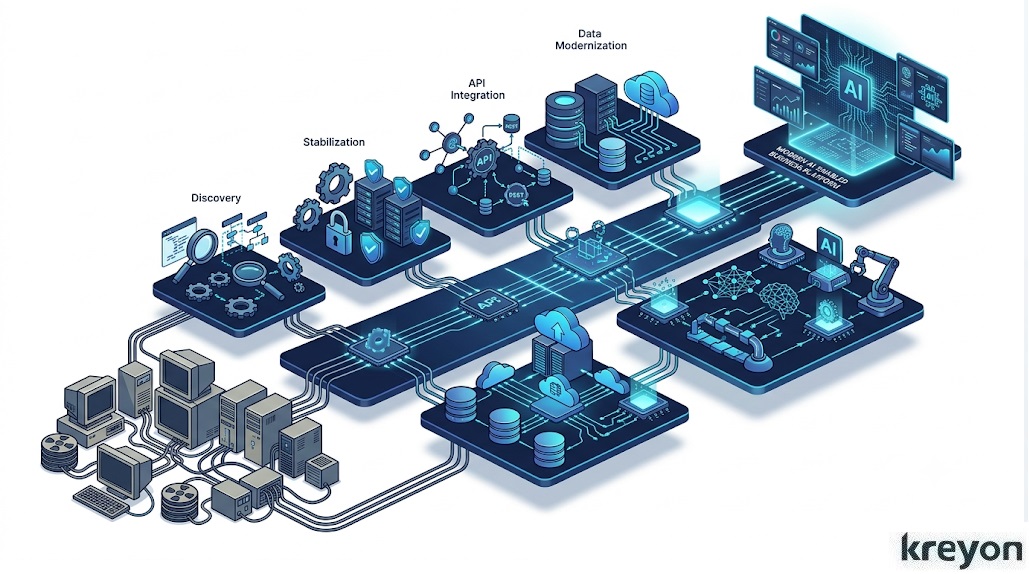
There is an uncomfortable truth about enterprise AI:
Bad data doesn’t become good data because you connected an LLM to it.
If information is duplicated, inconsistent, incomplete or trapped across disconnected databases, an AI layer can simply make the mess easier to query.
That’s why data modernization should be part of the roadmap.
Consider:
- Which system is the source of truth?
- How is data structured?
- Who owns it?
- What information can AI access?
- How are permissions enforced?
- How is sensitive information protected?
- How frequently is information updated?
Modernization can introduce APIs, data pipelines, cloud databases, data warehouses or other integration mechanisms that make enterprise information more accessible and governable.
Only then should organizations build increasingly sophisticated AI experiences on top.
6. Modernize in Small, Measurable Waves
The safest modernization programs rarely begin with:
“Let’s transform everything.”
They begin with:
“Let’s prove this works.”
Choose one application, workflow or business capability.
Define measurable outcomes.
For example:
- 30% reduction in manual processing
- 20% faster customer response
- 50% reduction in report preparation time
- Faster application releases
- Lower infrastructure cost
- Fewer production incidents
Build a proof of concept. Measure it. Learn from it. Then expand.
Microsoft’s current modernization roadmap similarly recommends assessing the application portfolio, defining business goals, prioritizing applications, launching phased proofs of concept, measuring results and iterating.
This approach also makes executive sponsorship easier.
Instead of asking leadership to approve a multi-year technology transformation, you’re asking them to fund a measurable business improvement.
7. Know When Not to Modernize
Here’s an important point that modernization vendors sometimes overlook:
Not every legacy application deserves to be saved.
Some should be retired. Others should be replaced with SaaS. Some can simply be rehosted.
Others may justify refactoring or rearchitecting. And a small number may genuinely require a rebuild.
Microsoft’s modernization framework explicitly treats retirement, replacement, rehosting, refactoring, rearchitecting and rebuilding as different options depending on business needs and application characteristics. Microsoft Learn
The decision should depend on value, risk, complexity and future requirements—not on which technology happens to be fashionable.
A useful question is:
If we had to build this capability today, would we build it this way?
If the answer is no, identify why.
Then determine the smallest change that addresses that problem.
What Does a Practical AI Legacy Modernization Roadmap Look Like?
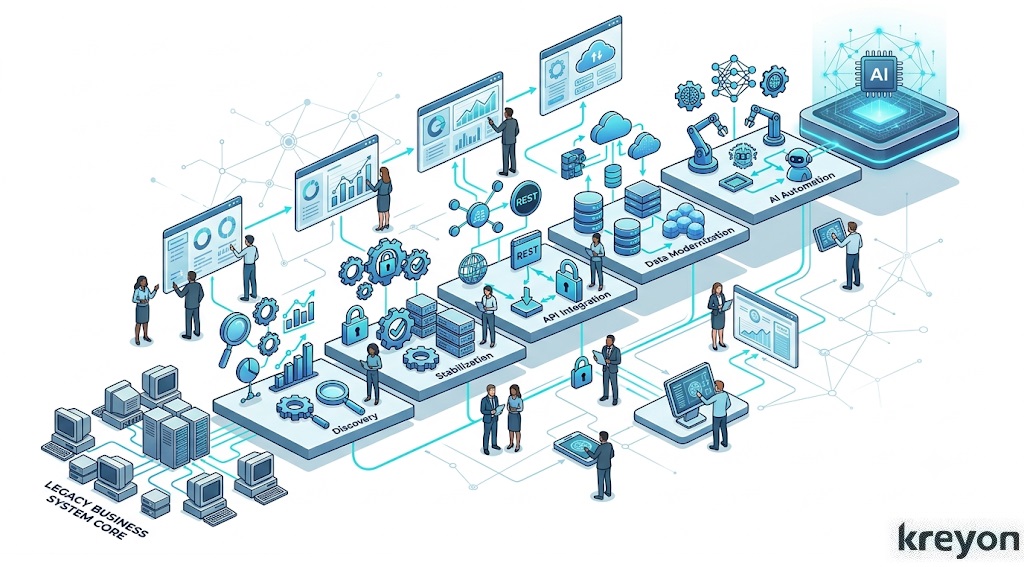 For many organizations, a sensible roadmap looks something like this:
Phase 1: Discover
Map applications, dependencies, data, integrations, costs and business processes.
Phase 2: Prioritize
Rank modernization opportunities by business value, technical risk and implementation effort.
Phase 3: Stabilize
Address critical security, infrastructure and reliability issues.
Phase 4: Expose
Introduce APIs and integration layers around valuable legacy capabilities.
Phase 5: Modernize data
Improve data quality, accessibility, governance and architecture.
Phase 6: Introduce AI
Start with focused use cases such as search, document processing, analytics, copilots and workflow automation.
Phase 7: Rearchitect selectively
Move high-value components toward modern architectures when the business case justifies it.
Phase 8: Measure and expand
Track business outcomes and use successful patterns across the wider application portfolio.
This phased approach is not merely about reducing technical risk. It can also shorten the distance between modernization spending and visible business value.
Where Kreyon Systems Fits
For organizations considering legacy modernization, the most useful partner isn’t necessarily the company promising to replace everything.
It is the team that can understand the existing business process, preserve what works and progressively introduce what doesn’t exist yet.
Kreyon Systems works across custom software development, business-process automation, cloud software, enterprise applications, analytics and AI, with experience spanning industries including healthcare, manufacturing, retail, banking and finance.
Its software-product development practice also covers modernization and migration alongside product design and development, which fits naturally with an incremental modernization strategy. Kreyon Systems
For companies running older ERP environments, Kreyon also provides cloud-based ERP capabilities and enterprise software solutions.
A useful next step is therefore not necessarily a rebuild proposal.
It is a modernization assessment:
What should stay?
What should change?
What can be wrapped?
Where can AI produce measurable value?
And what should simply be retired?
The Bottom Line
Legacy software doesn’t have to become a dead end.
In many organizations, the better strategy is neither “keep everything exactly as it is” nor “throw everything away.”
It is to modernize legacy software with AI in deliberate stages.
Preserve valuable business logic.
Expose useful capabilities through APIs.
Modernize the data.
Improve the user experience.
Automate repetitive work.
Introduce AI where it solves a real problem.
And replace the underlying architecture only when the business case warrants it.
The result is more than newer technology. Done well, modernization creates an organization that can change faster without repeatedly putting its core operations at risk.
If your legacy application is holding back automation, analytics, cloud adoption or AI initiatives, the first step doesn’t have to be a multi-year rewrite.
Start with an assessment. Map the system. Identify the highest-value opportunity. Then modernize one piece at a time.
Ready to Modernize Your Legacy Software?
Kreyon Systems can help organizations assess existing applications, identify modernization opportunities and design a phased roadmap for cloud, automation, data & AI. For queries, please contact us.